Score the group in seconds
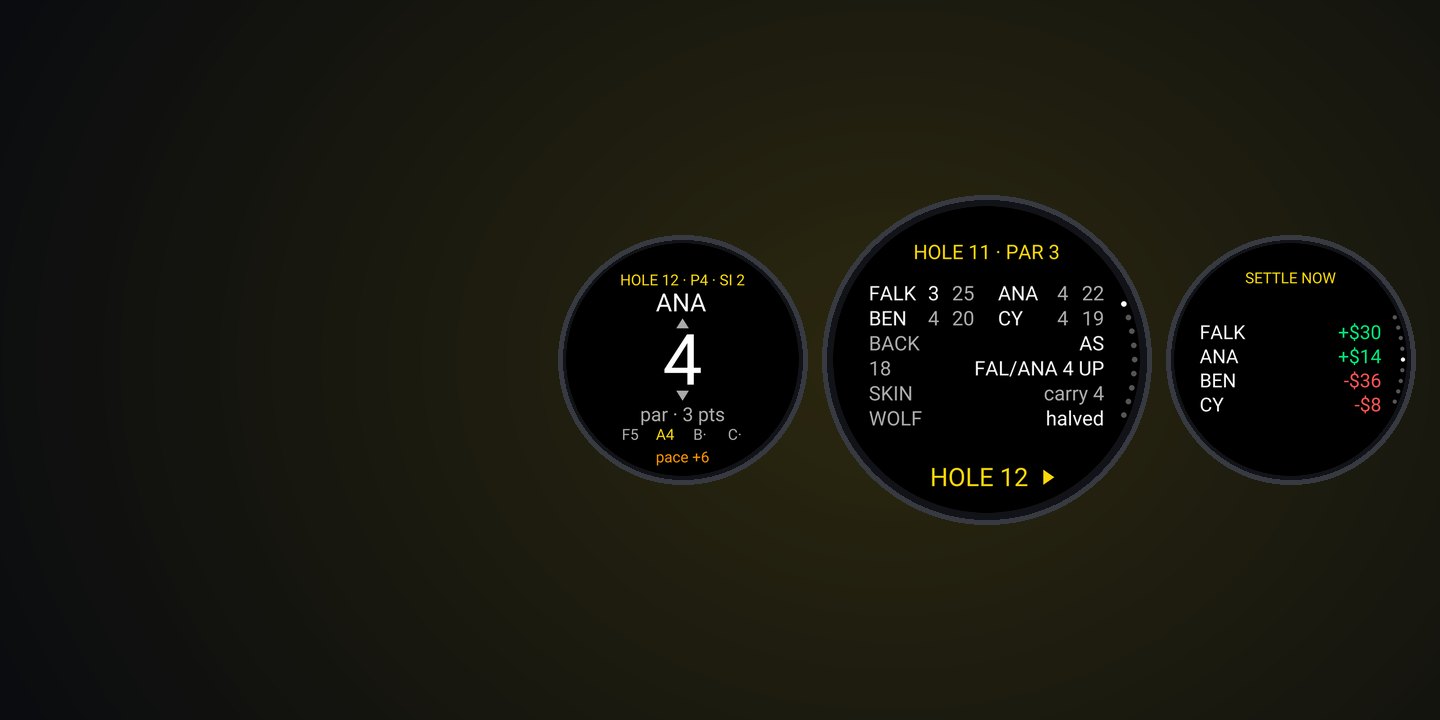
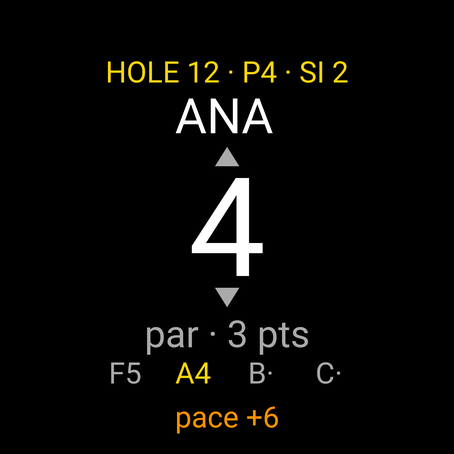
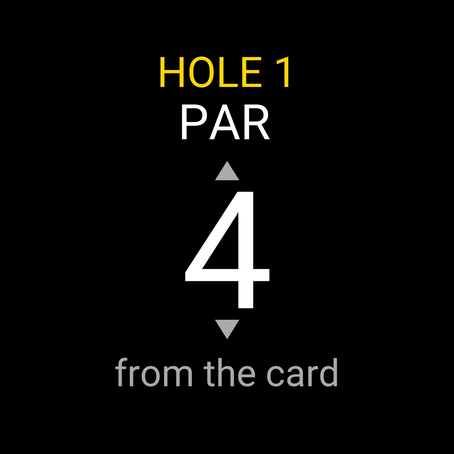
One big number per player, starting at par, with dots where they get a stroke. Up, down, select. Four pars take four presses.
Garmin Connect IQ app · 1 to 4 golfers
The scorecard your group actually plays.
Stableford, match play, a Nassau with presses, skins and wolf, with every player’s handicap strokes worked out from the card. It runs on your Garmin watch beside Garmin’s own golf round, and settles up on the 18th.
by falkster · one-time purchase, no subscription
What it is
Garmin’s golf watches are superb at distances and keep score for one player, two on the Approach S70. The games your group plays on a Saturday, with strokes, presses and carry-overs, end up on a pencil card. GOLF HUD puts that card on the watch.
One big number per player, starting at par, with dots where they get a stroke. Up, down, select. Four pars take four presses.
Stableford for everyone, a Nassau for the pairs, skins and wolf on top, all from the same scores and the same handicaps.
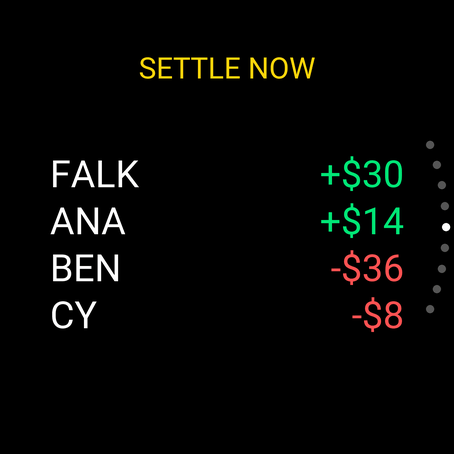
Who won what and who owes whom, worked out on the watch before you reach the clubhouse.
Why it matters
Group games and net scoring are the most requested scoring features Garmin hasn’t built, and the apps that do them run on phones, Apple Watch and Wear OS, not on Garmin.
1–2
Players a Garmin golf watch scores: one, or two on the Approach S70, where the second card is switched on every round.
0
Connect IQ apps for match play, a Nassau, skins or wolf among about 120 golf listings in the Store (November 2026).
3,247
Views of the busiest open Approach S70 scoring thread, about the watch’s end-of-hole score prompt. Still unresolved.
306k
App Store ratings for 18Birdies, the game-scoring app with Nassau, skins and wolf. It runs on Apple Watch and Wear OS, not Garmin.
Sources: Approach S70 scoring settings; Connect IQ Store search, 9 November 2026; Garmin forum: S70 scoring; 18Birdies on the App Store. The full research summary is in the guide.
Games
Everything is worked out from the scores you enter, so a corrected hole fixes every total, every bet and every skin behind it.
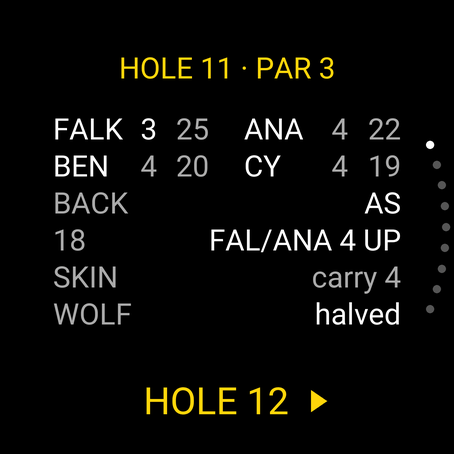
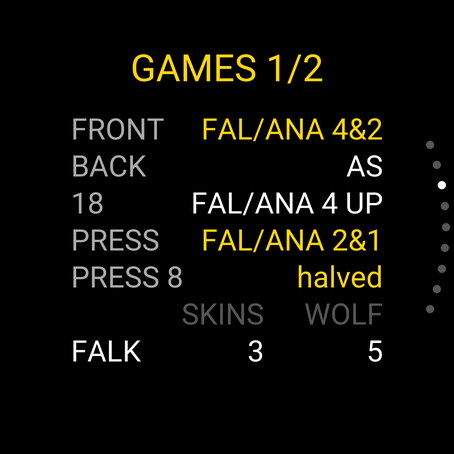
After the last score of a hole, the summary shows what happened: each player’s score and points, the matches in play, who took the skin and how the wolf did. SELECT goes to the next hole; BACK goes back to Garmin’s round.
Screenshots
Setup
Once for your group and your home course; a minute at a new course.
Get GOLF HUD from the Connect IQ Store on your phone or the watch.
In the Connect IQ app, open GOLF HUD’s settings and add up to six players with
their Handicap Index (12.4, or +1.2 for a plus handicap). Guests can be added on the
watch.
On the course page, type the par and stroke index from the card and the tee’s rating and slope, and paste the code into a course setting. Or choose “As you go” on the watch.
Open GOLF HUD, pick the course, the players and the games, and press Start round. Your choices are kept for next time.
Every setting, the handicap allowances and the rules of each game are in the guide.
On the course
Start Garmin’s golf activity as usual for the map and distances. GOLF HUD records nothing unless you ask it to.
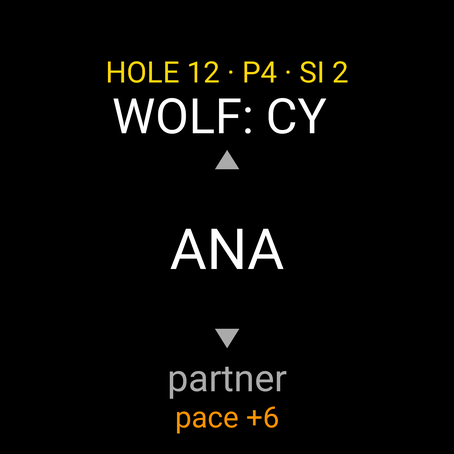
Open GOLF HUD from the glances. Each player’s score starts at par: up or down, then SELECT. On touch watches, tap above or below the number, or tap it to keep it.
Scores, points, the matches, the skin and the wolf, then BACK to Garmin’s round. The glance shows the leader and the match.
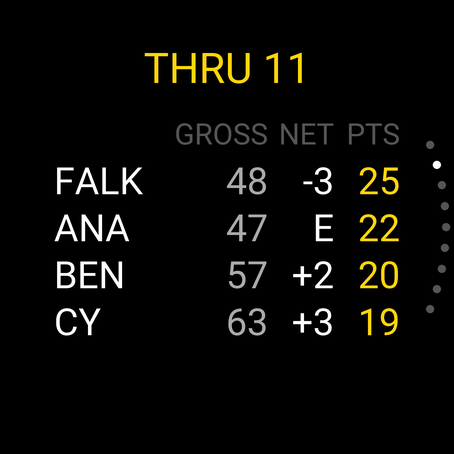
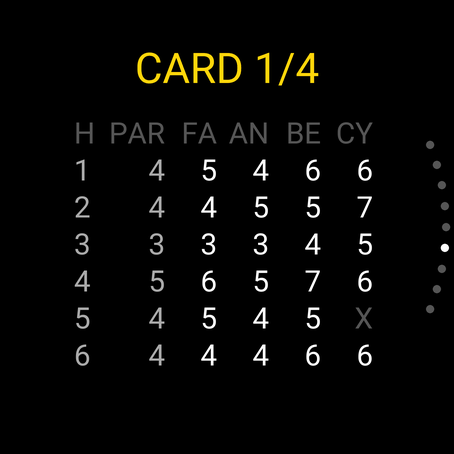
Tap the header (or hold the screen, or MENU) for the round menu: edit any hole, see the leaderboard, the card and the games.
A pace clock compares your round with a par-based schedule: 15 minutes a par 4 by default, plus a minute for a four-ball.
The final card and Settle up. End the round to keep it as your last round; the glance shows the winner.
Devices
Connect IQ 5 watches with touch or buttons, including the two-button Approach S72, Venu 4 and vivoactive 6. No course maps needed, so watches without Garmin’s full golf features work too.
Approach S50, S70 (42 and 47 mm) and S72 (43 and 47 mm). The S44 and S12 don’t run Connect IQ apps.
fenix 7, 7S, 7X and their Pro editions, fenix E, fenix 8 (43 and 47 mm AMOLED, Solar, Pro), fenix 9 and 9 Pro, epix (Gen 2), epix Pro (42, 47 and 51 mm).
Forerunner 265, 265S, 570 (42 and 47 mm), 955, 965 and 970.
Venu 3, 3S, Venu 4 (41 and 45 mm), Venu X1, vivoactive 5 and 6.
Enduro 3 and 4, MARQ (Gen 2), MARQ Aviator, MARQ (Gen 3), D2 Mach 1, D2 Mach 2 and 2 Pro, Descent Mk3 (43 and 51 mm).
Privacy
GOLF HUD has no internet permission, no account and no server. It can’t send anything anywhere.
The course code page runs in your browser. Nothing is uploaded; your last course is saved only in your browser.
Only with Recording on does GOLF HUD use GPS and save a golf activity, to your own Garmin Connect. Privacy policy.
FAQ
No, it plays alongside it. By default GOLF HUD records nothing, so Garmin’s round keeps its course map, distances, shot tracking and scorecard. After each hole, open GOLF HUD from the glances or the apps list, score the group and press BACK. No Garmin round, or a watch without full golf features? Turn on Recording and GOLF HUD records a golf activity with a lap per hole.
No. All GOLF HUD needs is each hole’s par and stroke index, from the scorecard. Make a course code once on the course page and paste it into the settings, or pick “As you go” and type each hole’s par and index on the watch the first time you play it. The watch keeps courses you type in.
The World Handicap System way. Course Handicap is your Handicap Index × Slope ÷ 113 + (Course Rating − par), with half the Index over 9 holes. Net scores and Stableford points use 95% of it; match play 100% for two players and 90% in a four-ball, off the lowest handicap; skins and wolf the same as match play. Strokes go on the holes by stroke index, a second round of strokes above 18, and plus handicaps give strokes back from the easiest hole. You can switch to full handicaps or gross only.
GOLF HUD only keeps score. It shows no distances, no plays-like numbers and no club or line advice, so it stays inside what Rule 4.3 of the Rules of Golf allows. Your committee can still restrict devices with a local rule; check before a sanctioned event.
Up to four players. Net and gross stroke play and Stableford (or modified Stableford) for everyone; match play for two, four-ball match play for four; a Nassau (front nine, back nine and 18) with or without automatic presses at 2 down; skins, net or gross, with or without carry-overs; and wolf for four. Several at once: a Nassau with skins and wolf is fine.
Choose X instead of a number. A pick-up scores no Stableford points, loses the hole in match play (unless the partner’s ball counts), can’t win a skin, and counts as net double bogey in the totals, as the handicap rules do.
With auto presses on, a new bet starts on the next hole whenever the side that’s behind goes 2 down in the latest bet on that nine. Presses run to the end of their nine and are worth the same as the other bets.
The wolf rotates in player order from the first tee. Before the scores, the wolf picks a partner or goes alone. With a partner, each player on the side with the better net ball gets a point. A lone wolf who wins gets 4 points; a lone wolf who loses gives the other three a point each.
No money moves. Settle up shows who owes whom from your stakes (per bet, per skin, per wolf point), and it always adds up to zero. Leave the stakes at 1 and the unit empty and it’s simply points.
No. GOLF HUD keeps its own card on the watch, and Connect IQ apps can’t write Garmin Golf scorecards. With Recording on, the round is saved to Garmin Connect as a golf activity with a lap per hole and your strokes and points in the activity file.
$3.99 once, through Garmin’s Connect IQ Store. No subscription, no account, no phone app. Garmin handles payment and refunds. The course code page on this site is free.